
Convertfile Plus

AI & Machine Learning

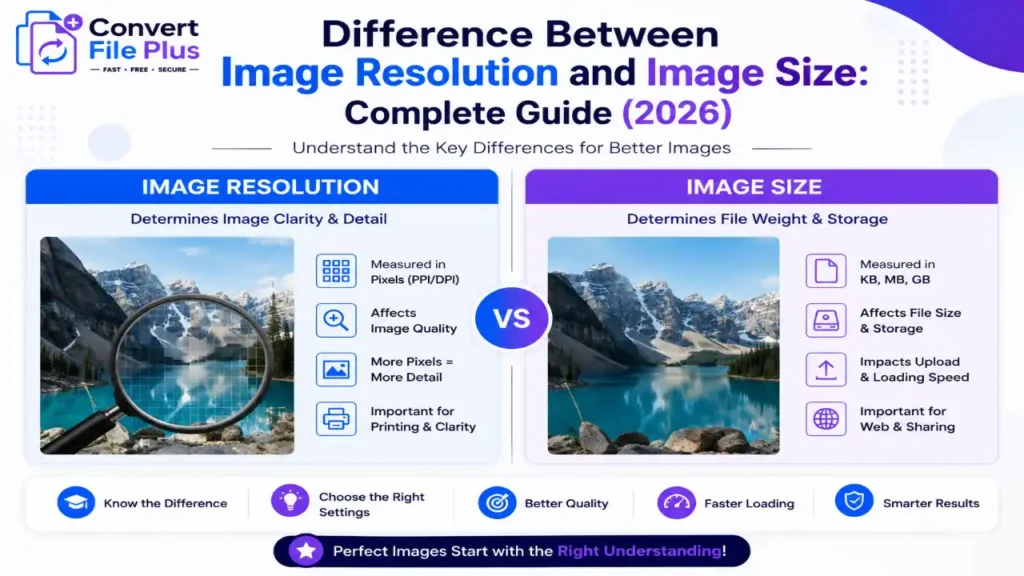
Difference between image resolution and image size explained with comparison chart for image quality, file size, printing, and web optimization in 2026.
AI & Machine Learning

Difference Between Image Resolution and Image Size: Complete Guide (2026)

Here’s something most people never think about until they’re staring at a rejected upload: a photo can look perfectly sharp on your phone screen and still get bounced by a government portal. I’ve watched this happen to friends applying for everything from PAN cards to visa slots, and almost every time, the root cause is the same mix-up — confusing image resolution with image size. They sound like they should mean the same thing. They don’t. This confusion shows up constantly with Aadhaar. A lot of the search traffic around this topic is really just people trying to figure out the size of photo in Aadhar card India requirements, because the enrollment and update portals are notoriously picky. One wrong dimension or an oversized file, and you’re back to square one. It’s a small technical detail with a surprisingly large impact. Government ID systems in India process photo submissions at a massive scale, and even a tiny percentage of rejected uploads adds up to a lot of frustrated applicants. So it’s worth spending ten minutes actually understanding what resolution and size mean — separately — before you upload anything. By the end of this piece, you’ll know exactly why your photo might be too “big” in one sense and too “small” in another, and specifically what the size of photo in Aadhar card India rules actually expect from you. Resolution vs. Size: They’re Not the Same Thing Let’s clear up the basic confusion first, because it trips up even people who work with computers every day. Resolution refers to how many pixels make up an image — usually expressed as width × height, like 1920×1080. More pixels generally means more detail, sharper edges, and a photo that holds up when it’s printed or zoomed into. File size refers to how much storage space the image takes up on a disk — measured in kilobytes (KB) or megabytes (MB). This depends on resolution, but it’s also heavily influenced by compression, color depth, and file format. Here’s the part that confuses people: two photos can have identical resolution and wildly different file sizes. A JPEG compressed aggressively might be 40KB, while the same resolution saved as an uncompressed PNG could be several MB. Government portals almost always care about both numbers separately — and they set limits on each. Most rejection messages on Indian government portals (“photo does not meet requirements”) are really just size or format mismatches, not anything wrong with how the photo actually looks. So, What Exactly Is the Size of Photo in Aadhar Card India? This is where most of the confusion actually starts. People assume “photo size” means one single number, but the Unique Identification Authority of India (UIDAI) actually specifies two separate things: the physical/print dimensions and the digital file requirements. According to guidance published on the UIDAI official website, passport-style photographs used during Aadhaar enrollment or updates need to be recent, clear, and taken against a light or white background — the kind of standard specification you’d expect for any biometric ID document. In practical terms, most enrollment centers and update portals in India work with these commonly followed specifications: I’d flag one honest caveat here: file-size limits (in KB) for online updates can vary depending on which portal or service you’re using — enrollment-center capture, online demographic update, or a related e-KYC service — so it’s worth checking the specific upload page before you submit anything, rather than assuming a single number applies everywhere. UIDAI’s own resources page is the safest reference point for that. Since Aadhaar photos double as biometric verification images, they’re treated more strictly than a casual passport photo. The system checks your current appearance against the photo on file, so an old photo — say, from before a beard, weight change, or different hairstyle — can genuinely cause a mismatch flag. Why Portals Reject Photos Even When They “Look Fine” Here’s something that trips up almost everyone: the photo can look completely normal to your eyes and still get rejected. That’s because the rejection usually isn’t about how it looks — it’s about the underlying data. A few common culprits: Honestly, most people don’t think about the last one — but background variance is one of the most common silent rejections across Indian government photo uploads, not just Aadhaar. How to Prepare a Compliant Photo Without Overthinking It You don’t need studio equipment to get this right. A decent smartphone camera and a plain wall will usually do the job. A few practical steps: Getting the size of photo in Aadhar card India right isn’t about fancy editing software — it’s about following the sequence above in order, rather than jumping straight to compression. That last point matters more than people realize. Dropping resolution too aggressively to hit a small file-size target can leave you with a blurry, low-detail photo that fails the “clear image” requirement even though it technically meets the KB limit. A Quick Word on Other ID Photo Sizes Since Aadhaar photo confusion often bleeds into other documents, it helps to know how it compares: The takeaway: don’t assume one photo works for every document. Each authority sets its own combination of resolution, file size, and format — and mixing them up is one of the most common reasons applications get delayed. Wrapping Up Resolution and file size aren’t interchangeable, even though everyday language treats them that way. One is about how detailed an image is; the other is about how much digital space it occupies. Government portals — Aadhaar included — care about both, for different reasons. If you’re specifically trying to nail the size of photo in Aadhar card India rules, the safest approach is simple: stick to the standard 3.5×4.5 cm portrait format, use a plain white background, save as JPEG, and confirm the current file-size cap on the official UIDAI portal before you upload. Requirements do get updated occasionally, so a five-minute check beats assuming last year’s numbers still apply. None of

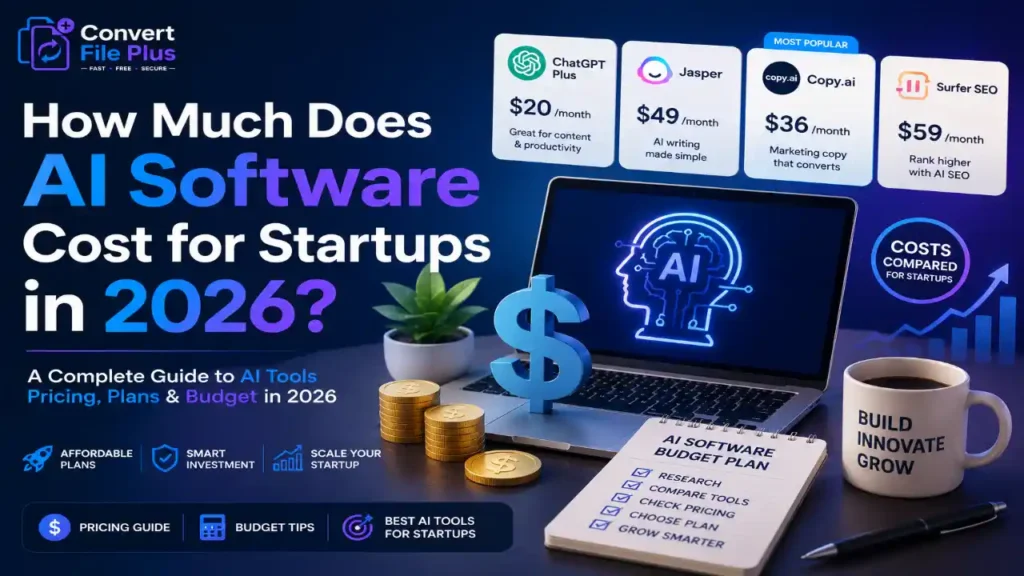
How much AI software costs for startups in 2026 with pricing comparison, budget planning, and AI tools for small businesses
AI & Machine Learning

How Much Does AI Software Cost for Startups in 2026?

Building a startup is expensive. Everyone already knows that. But there’s one budget line that keeps surprising founders who are doing it for the first time: AI tooling. The cost of AI software for startups has changed dramatically over the past two years, and not in the direction most people expect. Some categories have gotten dramatically cheaper. Others have crept up quietly as usage-based pricing kicks in at scale. According to McKinsey’s 2024 Global Survey on AI (mckinsey.com/capabilities/quantumblack/our-insights/the-state-of-ai), about 72 percent of organizations have adopted AI in at least one business function  up from 55 percent in 2023. For startups, that number is likely higher, since early-stage companies tend to adopt new tools faster than established enterprises. The question isn’t whether to use AI anymore. It’s how much it actually costs, and how to budget for it without blowing your runway. The honest answer is: it depends. That’s not a cop-out  it reflects how genuinely varied the cost of AI software for startups is, depending on your team size, use case, and how deep into the stack you go. A two-person SaaS company using a handful of off-the-shelf AI tools might spend $300–$500 a month. A Series A startup training custom models or running high-volume inference could be looking at $10,000 or more monthly. This article breaks it all down  what you’re actually paying for, where costs tend to sneak up on you, and how to think about budgeting AI spend in a way that makes operational sense. [FEATURED IMAGE HERE  Suggested: cost breakdown chart or startup founder reviewing AI software pricing on laptop] What Is AI Software for Startups? The phrase gets used loosely, so let’s be specific. AI software for startups generally falls into one of three buckets: Most early-stage startups operate almost entirely in the first two categories. The third becomes relevant once a company has product-market fit and a specific reason to go deeper into the stack  typically for differentiation or cost efficiency at scale. Why AI Pricing Matters More Than You’d Think There’s a common assumption that AI tools are cheap enough that budgeting for them is an afterthought. That assumption tends to hold until it doesn’t. Usage-based pricing is the main reason. Many AI APIs charge by the token  essentially by the word, though it’s more nuanced than that. A single API call might cost fractions of a cent. But at product scale, those fractions compound fast. A startup processing 10,000 customer queries a day through an LLM API could easily spend $3,000–$8,000 per month just on inference costs, depending on model choice and prompt length. Gartner projects that AI spending will remain one of the fastest-growing categories in enterprise software through 2026 (gartner.com/en/information-technology/insights/top-technology-trends). For startups, the implication is both an opportunity and a cost management challenge. AI pricing models are still evolving, and founders who don’t build cost awareness into their product architecture early often face painful re-engineering later. There’s also competitive pressure. If your team isn’t using AI tooling for development, customer support, content, and operations  and your competitors are  the productivity gap is real. The question is how to adopt thoughtfully without overspending on capabilities you don’t yet need. Key Benefits of AI Software Investment for Startups Done right, AI tooling delivers measurable ROI across several areas: Real-World Cost Breakdown: What Startups Are Actually Spending Early-Stage Startups (Pre-Seed to Seed) At this stage, most teams are small  2 to 10 people  and AI spend is mostly SaaS subscriptions and light API usage. A typical monthly bill might look like: Growth-Stage Startups (Series A–B) More users mean more inference calls. Customer-facing AI features become significant cost drivers at this stage: Companies Building Custom Models If a startup is fine-tuning models or running significant training workloads, GPU compute costs dominate. AWS, Google Cloud, and Azure GPU instances range from $3 to $30+ per hour. A single fine-tuning run can cost several hundred to several thousand dollars, before you factor in storage, data pipelines, and model hosting. Challenges and Limitations There are legitimate friction points that don’t get enough honest discussion: What AI Pricing Looks Like Through 2026 and Beyond The trend lines suggest that AI software pricing for startups will continue to shift in two competing directions simultaneously: frontier model capabilities will get more expensive (or at least not cheaper in absolute terms), while commodity tasks will get dramatically cheaper as open-source models and smaller specialized models improve. OpenAI, Anthropic, and Google are all moving toward tiered model offerings  a cheap, fast model for high-volume simple tasks and a premium model for complex reasoning. The companies that figure out how to build effective routing logic between these tiers will have a meaningful cost advantage over those running everything through the most powerful model available. Infrastructure costs are also likely to compress. Competition between cloud providers for AI workloads is intense, and that pressure typically benefits buyers over a 2–3 year window. Specialized AI chips from startups like Groq and Cerebras are already reducing inference costs for certain workloads. What won’t change: the companies that treat AI spend as a strategic decision  rather than an operational line item to be minimized  will get more from it. The goal isn’t the lowest bill. It’s the best return on what you spend. Best Practices for Managing AI Software Costs Final Thoughts The cost of AI software for startups in 2026 spans a remarkably wide range  from a few hundred dollars a month for a lean early-stage team to tens of thousands for a growth-stage product with significant AI-powered features. Neither number is inherently too high or too low. What matters is whether the spend is deliberate, monitored, and producing returns that justify it. Most founders who feel burned by AI costs share a common pattern: they adopted tools reactively, didn’t instrument their usage, and only discovered the problem when the bill arrived. The fix isn’t to spend less on AI  it’s to spend with more visibility and intention. The strategic advantage AI tooling offers early-stage

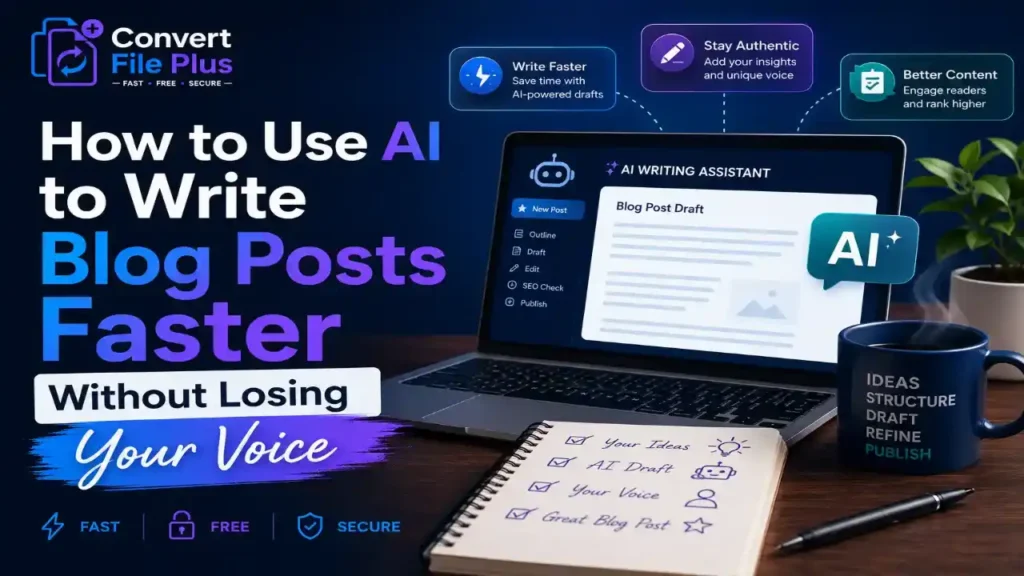
How to use AI to write blog posts faster without losing your authentic writing voice
AI & Machine Learning, Tools

How to Use AI to Write Blog Posts Faster Without Losing Your Voice

Most writers who try AI writing tools for the first time end up disappointed. Not because the tools are bad  they’ve gotten genuinely impressive  but because nobody told them how to use AI to write blog posts without turning everything into corporate-flavored mush. The output sounds technically correct but completely hollow. And readers notice. Here’s a number worth sitting with: according to McKinsey’s 2023 State of AI report (mckinsey.com/capabilities/quantumblack/our-insights/the-state-of-ai-in-2023-generative-ais-breakout-year), generative AI adoption in marketing and content functions nearly doubled year-over-year. A lot of that adoption is content writers reaching for these tools to go faster. The pressure to publish more, rank higher, and stay consistent is real. But there’s a difference between using AI as a crutch and using it as a co-pilot. The writers who get it right aren’t outsourcing their thinking to the tool. They’re outsourcing the grind  research compilation, structure drafting, first-pass editing  while keeping their actual perspective front and center. That’s what this article is really about. Not just which buttons to push, but how to build a workflow that makes you faster without making you sound like everyone else. Why Most AI Blog Posts Miss the Mark The problem isn’t AI. It’s the prompt. When someone types “write me a 1,000-word blog post about email marketing,” they get something grammatically fine and intellectually empty. No specific example, no earned opinion, no personality. Think about what makes your favorite blog or newsletter worth reading. It’s usually a specific angle you hadn’t considered, a story that grounds an abstract point, or an honest take that feels like it came from a real person’s experience. AI, by default, averages everything. It gives you the consensus view. That’s not useless  consensus views are sometimes exactly what readers need. But if every post on your site sounds like it was written by the same invisible committee, readers stop coming back. I’ve noticed this with a lot of content teams: they adopt AI, publish twice as much content, and then watch their engagement numbers stay flat or drop. Volume isn’t the goal. Relevance and voice are the goal. The tools can help with both  if you set them up right. [INFOGRAPHIC NEEDED HERE] Infographic Title: AI Blog Writing: Where Human Input Matters Most Designer Notes: How to Use AI to Write Blog Posts Without Sounding Generic The best framework I’ve seen  and tried  is thinking of AI as a talented junior writer. Smart, fast, great at structure, but hasn’t lived anything yet. Your job is to be the senior editor who brings in the real-world texture. Here’s how that actually works in practice: Start With Your Own Angle, Not a Blank Prompt Before you open ChatGPT, Claude, or any other tool, write one sentence: what’s the specific point you want readers to walk away with? Not just the topic  the take. “Email marketing still works” is a topic. “Email marketing outperforms social for B2B conversions by 3x, but most teams set it up wrong” is an angle. That one sentence changes everything about what the AI generates for you. When you give it a sharp premise instead of a vague subject, the output becomes a scaffold you can actually build on. Use AI for Structure and Skeleton, Not Final Copy This is where AI genuinely earns its keep. Ask it to generate a post outline, a list of counterarguments, or a set of H2 headings. Then look at what it gives you and push back on it. Rearrange sections. Delete the obvious ones. Add the heading that only someone in your industry would think to include. Good prompts for this stage: Feed the Tool Samples of Your Own Writing Most people skip this step. It’s arguably the most important one. Before asking AI to draft a section, paste in two or three paragraphs of your existing writing and say: “Match this tone and sentence rhythm.” The difference in output quality is dramatic. Instead of something that sounds like a press release, you get something that at least starts to sound like you  and then you edit it the rest of the way there. According to HubSpot’s 2024 State of Marketing Report (hubspot.com/marketing-statistics), 64% of marketers using AI say personalizing content to their brand voice is their top challenge. That’s because the tool doesn’t know you. You have to teach it  and you do that with examples, not instructions. Write the Bits Only You Can Write The anecdote from last Tuesday’s client call. The opinion you formed after reading three conflicting studies. The specific example from your industry that most people wouldn’t know to use. None of that is in the AI’s training data. Build in a step  literally block 20 minutes in your workflow  where you go through the AI draft and ask: where can I add something only I would know? That’s your voice showing up. Don’t leave it to chance. Honestly, that’s understandable that writers worry AI will flatten their style. But the writers who’ve figured it out treat those 20 minutes as the most important part of the whole process. The Tools Worth Actually Using Right Now There’s no shortage of AI writing tools  and most of them do roughly the same core things. What matters is fit. Here are the ones that consistently come up in conversations with working writers and content teams: None of these replace the thinking. But all of them can meaningfully speed up the production. What to Watch Out For A few real risks that don’t get enough attention in the “AI will make you 10x faster” coverage: A Simple Workflow That Actually Works Here’s a streamlined process that balances speed with quality: That’s roughly 65 minutes for a solid 1,200-word post, compared to 3-4 hours without assistance. Most of that time saved is in the drafting phase  getting from blank page to rough draft is where writers lose the most time, and that’s where AI is genuinely useful. The Bottom Line on How to Use AI to Write Blog Posts The

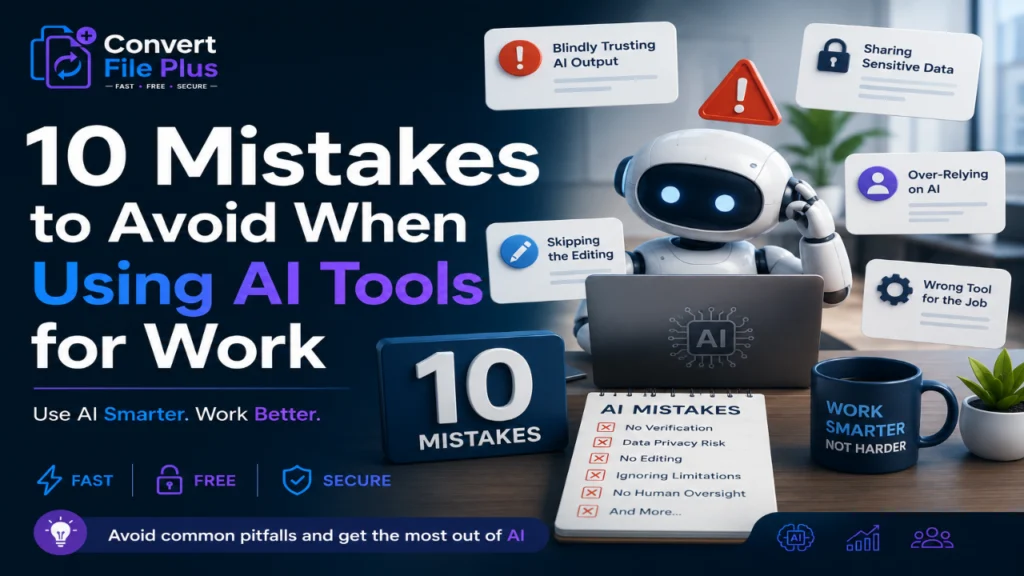
10 Mistakes to Avoid When Using AI Tools for Work – Common AI mistakes in the workplace with Convert File Plus branding
AI & Machine Learning

10 Mistakes to Avoid When Using AI Tools for Work

A few months ago, a friend of mine sent her boss an email written almost entirely by ChatGPT. The tone was off, the facts were slightly wrong, and her boss replied with one line: “Did you even read this before sending it?” That’s the moment a lot of people are having right now, just in different forms. AI tools have become part of daily work life faster than almost any technology before them. According to McKinsey’s 2025 State of AI report, 88 percent of organizations now use AI in at least one business function, up from 78 percent just a year earlier. Yet only about a third of those companies have actually managed to scale AI use across the enterprise in a meaningful way. That gap between using AI and using it well is where most of the trouble starts. This article walks through 10 mistakes to avoid when using AI tools for work, based on patterns that show up again and again across teams, industries, and job titles. None of these are exotic technical errors. They’re the small, human habits that quietly undo the benefits AI is supposed to bring. If you’ve ever pasted a client’s data into a chatbot without thinking twice, or accepted an AI-written report without checking a single fact, you’ll probably recognize a few of these. Let’s get into them. According to McKinsey & Company – The State of AI in 2025 1. Blindly Trusting AI Output Without Verification This is probably the single biggest item on any list of mistakes to avoid when using AI tools for work. AI models are confident even when they’re wrong. They don’t pause and say “I’m not sure about this.” They just answer, smoothly and convincingly, whether the answer is right or not. I’ve noticed that the people who get burned the worst are usually the ones who are otherwise very careful. They trust the tool because it sounds so polished. That’s exactly the problem. 2. Feeding Confidential Information Into Public AI Tools This one keeps compliance teams up at night. Pasting customer records, contract terms, or internal financials into a public chatbot can mean that data leaves your company’s control the moment you hit enter. Most enterprise AI platforms now offer private or business-tier versions specifically because of this risk. If your company hasn’t set clear rules yet, that’s a conversation worth having before someone accidentally shares something they shouldn’t. 3. Skipping the Editing Process AI-written content has a certain rhythm to it. Once you’ve read enough of it, you start spotting it everywhere: the same transitional phrases, the same overly tidy structure, the same slightly hollow tone. Readers notice too, even if they can’t always explain why. Honestly, that’s understandable. The whole appeal of AI tools is speed, so skipping the edit feels like skipping an unnecessary step. But unedited AI text often reads as generic, and generic content rarely performs well, whether it’s a blog post, a proposal, or an internal memo. 4. Using AI Tools for Work Without Understanding Their Limits Every AI tool has a knowledge cutoff, a bias built into its training data, and blind spots in certain subjects. Treating any single tool as an all-knowing oracle is one of the more avoidable mistakes to avoid when using AI tools for work, yet it happens constantly. A model that’s excellent at drafting emails might be mediocre at financial analysis. A tool great at summarizing documents might struggle badly with nuanced legal language. Knowing what a tool is actually good at saves a lot of wasted effort. Designer Notes: Layout: horizontal funnel chart, 3 stages. Icons: building icon for ‘organizations using AI’, gear icon for ‘scaling AI’, dollar/coin icon for ‘EBIT impact’. Colors: navy blue and light gray, one accent orange for emphasis. Labels and data: Stage 1 ‘Use AI in at least one function – 88%’, Stage 2 ‘Have scaled AI enterprise-wide – about 33%’, Stage 3 ‘Report measurable EBIT impact from AI – 39%, mostly under 5%’. Source footnote: McKinsey, State of AI in 2025. 5. Over-Relying on AI for Decision-Making AI is good at pattern recognition. It is not good at judgment calls that involve context only a human would know, like a client’s history with your company, a teammate’s personal situation, or an unwritten office politics issue. That’s where things get interesting, because AI tools are increasingly being plugged into decisions that used to require a manager’s sign-off. Letting a model make the final call on hiring, performance reviews, or budget cuts without human oversight is risky, and in some regulated industries, it can also be a compliance problem. 6. Ignoring Data Privacy and Security Settings Most people install an AI tool, click through the setup screens, and never look at the privacy settings again. That’s a mistake, especially since many tools default to using your conversations to train future models unless you turn that setting off. 7. Not Training Employees Properly Handing someone access to an AI tool without any guidance is a bit like giving them a company credit card with no spending policy. Most people will use it reasonably, but a few won’t, and the company has no real framework to fall back on. Most people don’t think about this until something goes wrong. A short internal training session on what’s acceptable, what’s risky, and what the company’s actual AI tools are can prevent a surprising number of headaches later. 8. Using the Wrong Tool for the Job Not every AI tool does the same thing well. Using a general chatbot to build a complex financial model, or a coding assistant to write marketing copy, often produces mediocre results because the tool simply wasn’t built for that task. 9. Forgetting About Bias in AI Outputs AI models learn from existing data, and existing data carries existing biases. This shows up in hiring tools that quietly favor certain resume formats, image generators that default to particular demographics, or writing assistants that subtly reflect Western, English-language norms

How AI impacts social media content creation in 2026 infographic showing AI-powered ideation, writing, video editing, and content distribution.
AI & Machine Learning, Digital Marketing & Social Media

How AI Impacts Social Media Content Creation in 2026

Here’s something that should stop you for a second: most of the photos and captions you scrolled past on Instagram or TikTok this morning probably weren’t made entirely by a human. According to Adobe’s Digital Trends 2026 report, about 87% of marketers used generative AI in at least one recurring workflow in early 2026, up from just 51% two years earlier. That’s not a small shift. That’s an industry flipping over. I’ve been watching this space for a while now, and honestly, even I didn’t expect the pace to pick up this fast. A couple of years ago, AI tools in social media were mostly novelty add-ons  a caption suggestion here, a filter there. Now they’re running entire content pipelines, from ideation to scheduling to performance analysis. This matters beyond marketing departments. It’s really a small preview of the future of AI in everyday life  how we’ll write, communicate, and even present ourselves online once AI assistance becomes the default rather than the exception. If you create content for a brand, a side hustle, or just your own personal page, this shift is already touching you, whether you’ve noticed it or not. So let’s get into what’s actually changed, what’s working, what isn’t, and where this is realistically headed. The Scale This Is Happening At Before getting into the tools and tactics, it helps to see the size of the audience this content actually reaches. As per TRAI’s Telecom Services Performance Indicators report for January–March 2026, India’s internet subscriber base crossed 1.09 billion, growing 6.24% in a single quarter. That is the regulator’s own official data, not a marketing estimate. That scale matters because it means even small efficiency gains from AI tools  saving a few hours per week, or producing twice the content variations  compound across an enormous, fast-growing audience. A caption tweak that improves engagement by a couple of percentage points translates into a genuinely large number of additional views when the base audience is this large. For readers less familiar with the underlying technology, Wikipedia’s overview of generative artificial intelligence is a reasonable starting point  it defines generative AI as a category of models that can produce new text, images, audio, or video based on patterns learned from existing data, which is exactly the mechanism behind most of the social media tools discussed below. Why 2026 Feels Like a Turning Point Social platforms have always rewarded speed. But in 2026, the sheer volume of content being produced has gone up dramatically. Research from Hootsuite’s Social Trends report notes that AI-generated articles actually surpassed human-written content online for the first time in 2025  a milestone that would have sounded far-fetched just three or four years ago. That’s not necessarily a bad thing. It just means the bar for what counts as “normal” content output has moved. A solo creator with the right tools can now produce what used to take a five-person team. A Few Numbers Worth Sitting With None of this means quality has gone out the window, though. If anything, the brands doing well are the ones using AI for the boring, repetitive parts  first drafts, variations, scheduling  while keeping a human hand on tone and judgment. Where AI Is Actually Showing Up in Content Creation It helps to break this down by what creators and marketers are actually using AI for, rather than treating it as one big blurry trend. 1. Caption and Script Writing Most teams aren’t asking AI to write a finished post anymore. They’re asking for a rough first pass  five headline options, three tone variations  and then editing from there. That’s a meaningfully different workflow than full automation, and it tends to produce better results. 2. Video Editing and Repurposing This is probably the biggest practical win. AI tools now handle auto-cutting long videos into short clips, generating captions, and even cleaning up audio. A single podcast episode can become a dozen short-form clips in an afternoon instead of a week. 3. Visual Content and Image Generation Static visuals  carousel slides, product mockups, ad creative  are increasingly AI-assisted too. That’s where things get a little more complicated, because audiences are getting better at spotting synthetic imagery, and not always reacting well to it. 4. Trend Spotting and Ideation Social listening tools powered by AI now flag emerging conversations and formats almost in real time. For a creator trying to catch a trend before it peaks, that head start can be the difference between a viral post and a missed window. The Trust Problem Nobody’s Fully Solved Here’s where I’ll push back a little on the hype. More content isn’t automatically better content, and audiences are noticing the difference, even if they can’t always name it. Multiple industry surveys have found that a meaningful share of consumers  often cited in the 30–50% range depending on the study  reduce engagement once they suspect a post was generated rather than written by a real person. Authenticity still matters, maybe more than ever, precisely because synthetic content has become so common. Most people don’t think about this consciously, but they feel it. A caption that sounds slightly too polished, slightly too generic, tends to get scrolled past faster than one with a bit of personality or imperfection. That’s probably why some of the best-performing brand accounts right now are deliberately leaning less polished  more behind-the-scenes, more employee-voiced, less obviously “produced.” It’s an interesting contradiction: AI made high-production content cheap and easy, which means raw, human-feeling content became the differentiator again. What This Says About the Future of AI in Everyday Life Social media content creation is really just the most visible test case for something much bigger. The same patterns  AI handling the repetitive groundwork while humans focus on judgment, taste, and connection  are showing up in writing, customer service, design, and even healthcare documentation. That’s the honest shape of the future of AI in everyday life: not robots replacing people outright, but a steady redistribution of where human attention goes. The tedious 80%

AI & Machine Learning

Future of AI in Everyday Life: What to Expect in 2026 and Beyond

Most people upgraded their phones last year without realising they were also inviting an AI system into their calendar, their camera roll, and their email drafts. That quiet shift  AI embedding itself into daily routines without fanfare  is exactly what defines this moment. The future of AI in everyday life isn’t a distant science-fiction premise. It’s already underway, and 2026 is proving to be the year when the gap between “early adopter” and “average user” essentially closes. Consider this: according to McKinsey’s 2024 State of AI report, 65% of organisations globally are now using generative AI in at least one business function  up from just 33% the previous year. That adoption curve is steep. And while the enterprise numbers get most of the headlines, the real story is happening at the consumer level: in smart home devices, healthcare apps, personal finance tools, and education platforms that ordinary people use every single day. It would be easy to dismiss this as overhyped. Honestly, a lot of early AI promises were. But what’s different now is that the tools are actually useful  not just impressive in a demo. They save time, reduce friction, and in some cases, make decisions that used to require professional expertise accessible to everyone. So where is all this heading? Let’s look at the areas where AI will make the biggest difference  not just for companies, but for real people with real lives. AI at Home: It’s Stopped Feeling Like a Novelty A few years ago, asking your smart speaker to set a timer was considered impressive. Now, the same device can manage your grocery list, adjust your thermostat based on your patterns, and even detect unusual sounds while you sleep. The shift from reactive commands to proactive assistance is subtle but significant. What’s coming next in the home environment: According to Statista, the global smart home market is projected to hit $231 billion by 2028 (statista.com). Most of that growth will be driven not by early tech enthusiasts but by mainstream households looking for convenience and energy savings. Healthcare: Where the Stakes Are Highest  and the Potential Is Enormous This is the area where the future of AI in everyday life gets both exciting and a little sobering. AI is genuinely starting to change how healthcare reaches people  particularly those who don’t have easy access to a GP or specialist. What’s already happening AI symptom checkers, while imperfect, are helping people make better decisions about whether to seek emergency care. Wearables powered by machine learning  like certain Apple Watch models and Fitbit devices  can now flag irregular heart rhythms and blood oxygen anomalies in real time. Gartner predicts that by 2027, AI will be embedded in more than 75% of clinical decision support systems (gartner.com). That’s not about replacing doctors. It’s about giving them better information, faster  and extending some of that analytical reach to patients directly. The everyday impact Most people don’t think about this as AI. They think of it as “my health app.” That normalisation is, in some ways, the biggest development of all. Personal Finance: Smarter Tools, But Don’t Ignore the Fine Print Budgeting apps have existed for years. What’s different now is that AI is moving beyond tracking what you’ve already spent  it’s starting to anticipate, recommend, and sometimes act on your behalf. Some of what’s becoming mainstream: That last point matters. A PwC report on financial services AI (pwc.com) noted that AI-driven personalisation is starting to democratise wealth management advice. The caveat? Users still need to understand what they’re agreeing to when an app makes decisions on their behalf. Automation is powerful. Blind automation is risky. Education: The Classroom Is Changing  Slowly, Then All at Once If there’s one sector where the future of AI in the next 5 years looks genuinely different from today, it’s education. Not because the technology is most advanced there  but because the need for personalisation has always been so obvious, and the traditional system has been so poor at delivering it. AI tutoring tools are already giving students on-demand explanations that adapt to their level. A student who keeps getting a particular algebra step wrong doesn’t need the same explanation louder  they need a different approach, and AI is increasingly good at finding it. What to expect in the coming years: The World Economic Forum has estimated that around 1 billion people will need reskilling by 2030 (weforum.org). AI-powered learning is one of the few plausible ways to meet that scale. Traditional education institutions can’t do it alone. AI at Work: Less About Replacement, More About What You Do With Your Time The conversation about AI and jobs has been dominated by fear of automation. That’s understandable  some roles will change significantly. But the more interesting story is about what happens when knowledge workers get AI as a colleague rather than a competitor. Most people using AI tools at work today  whether for drafting emails, summarising long documents, generating code, or researching competitors  report that the biggest benefit isn’t speed. It’s cognitive offloading: being able to focus on the judgment-heavy parts of their job rather than the mechanical parts. Microsoft’s 2024 Work Trend Index (microsoft.com/worklab) found that 70% of early Copilot users said it made them more productive, and 68% said it improved the quality of their work. Those aren’t small numbers  and Copilot isn’t even close to the ceiling of what these tools will do. The Challenges Nobody Should Gloss Over It’s easy to focus on what AI can do well. It’s more useful to be clear about where the friction will remain  because that’s where most people will actually struggle. None of these are reasons to avoid AI tools. But they’re reasons to use them thoughtfully  which, frankly, applies to most powerful technologies. What to Actually Expect  A Grounded View The future of AI in everyday life won’t arrive as a single announcement or a product launch. It’ll arrive the way most significant shifts do: gradually, then unavoidably. By 2028 or 2029,

Best AI tools for small businesses in 2026 including marketing, automation, customer support and productivity software.
AI & Machine Learning

Best AI Tools for Small Businesses in 2026 (Free & Paid)

A few weeks ago, a friend who runs a six-person marketing agency told me she’d stopped hiring freelance copywriters altogether. Not because business slowed down – quite the opposite. She’d simply found enough AI tools for small business owners to cover the gap herself, in less time, for less money. That conversation stuck with me, because it’s not an isolated story anymore. According to the U.S. Chamber of Commerce’s 2025 Empowering Small Business Report, 58% of small businesses now say they use generative AI, up from just 40% the year before. That’s a fast jump for any technology, let alone one that barely existed in its current form three years ago. And it’s not just hype. McKinsey’s Global Survey on AI found that 88% of organizations now report regular AI use in at least one business function. Small companies are catching up to that number quicker than most people expected – partly because the best ai tools for small business owners can use today don’t require a developer, a budget approval process, or even much technical patience. So if you’re a small business owner wondering where to actually start, or whether the tool you picked last year is still worth paying for, this guide walks through what’s genuinely useful right now – split between free and paid options, and organized by what you’re actually trying to get done. Why AI Tools for Small Business Owners Matter More in 2026 Most small businesses don’t have a marketing department, a customer support team, or an ops manager. They have one or two people doing all three jobs before lunch. That’s exactly the gap AI tools are filling. It’s worth saying plainly: you don’t need ten tools. You need two or three that solve real, recurring problems – writing, scheduling, customer replies, or basic bookkeeping. Everything else is a distraction dressed up as productivity. AI for Small Business Marketing: Where Most Owners Start Marketing is usually the first place small businesses bring in AI, and that’s not a coincidence. Content takes time, and most owners aren’t trained copywriters or designers. Free Tools Paid Tools Honestly, most solo owners don’t need all of these. Pick one writing tool and one design tool, and use them properly for three months before adding anything else.0 [INFOGRAPHIC NEEDED HERE] AI Assistant for Small Business Owners: Handling the Daily Grind This is where AI quietly saves the most time – not in flashy marketing campaigns, but in the boring stuff. Scheduling. Replying to the same five customer questions. Sorting invoices. That gap between buying a tool and actually using it well is bigger than most people admit. Salesforce’s SMB Trends research found that small businesses using AI consistently report stronger revenue growth than non-adopters – but the businesses seeing the clearest results tend to be the ones using tools daily, not occasionally. AI Tools for Small Businesses and Startups: Operations and Growth Startups have slightly different needs than an established local business. There’s usually more pressure to move fast and prove traction quickly, often with a fraction of the budget a bigger company would have. Free or Low-Cost Worth Paying For One thing I’d flag here: startups sometimes over-automate before they’ve nailed down the process they’re automating. It’s worth running a workflow manually a few times first, just to be sure it’s worth automating at all. Choosing the Right AI Tools for Small Business Budgets There’s no universal answer here, and honestly, anyone who tells you there is one tool that fits every small business probably hasn’t run one. A few questions worth asking before you subscribe to anything: That last point matters more than people think. Plenty of consumer-grade AI tools weren’t built with business data handling in mind, and small businesses are often the ones with the least time to clean up a mess if something goes wrong. The Real Cost of Doing Nothing It’s tempting to wait and see how this all settles. But McKinsey’s 2025 Global Survey on AI also found that organizations actively redesigning workflows around AI – not just bolting it on – are the ones seeing measurable bottom-line impact. The tools matter less than how consistently they’re used. That’s really the practical takeaway for small business owners heading into the rest of 2026. The tools for small business marketing, scheduling, and operations are now affordable and genuinely capable. The bottleneck isn’t access anymore. It’s deciding what to actually hand off, and sticking with it long enough to see the difference. Final Thoughts None of this means AI replaces good judgment, decent customer relationships, or a product people actually want. It just clears space for the parts of running a business that still need a human paying attention. If you’re picking your first ai tools for small business use this year, start small. One tool for writing, one for scheduling or support, used properly for a season before you add a third. That’s usually enough to feel the difference in your week. I’ve noticed the owners who get the most out of AI aren’t the ones chasing every new release. They’re the ones who picked something boring and reliable, and just kept using it. That’s not a flashy conclusion, but it’s probably the honest one.

AI automation concept showing workflow optimization and task automation using artificial intelligence tools for business efficiency
AI & Machine Learning

How to Automate Repetitive Tasks with AI: A Step-by-Step Guide

I know someone who spent 45 minutes every single morning copying data from email into a spreadsheet. Same columns. Same format. Every day. When I told her an AI workflow could do that in under 30 seconds – and she didn’t need to write a single line of code – she genuinely didn’t believe me. That’s where most people are right now. They’ve heard about AI. Maybe used ChatGPT to write something once. But actually using it to automate tasks with AI, in a way that saves real time every week? That part hasn’t clicked yet. This guide is about making it click. No theory. No buzzwords. Just a clear, step-by-step walkthrough of how to find the right tasks, pick the right tools, and build your first automation – even if you’ve never done anything like this before. According to McKinsey, roughly 60% of jobs have at least 30% of tasks that can be automated with current technology. So the opportunity is real. You’re probably just not tapping into it yet. Read Also : Best Cameras for Beginner Photographers in 2026 First, Why Most People Don’t Actually Automate Anything It’s not laziness. And it’s usually not a lack of interest. The real problem is that “AI automation” sounds like something you need an engineering degree for. Tools, APIs, code – it all sounds intimidating. So people put it off. But here’s the thing: the tools have caught up with normal people. Platforms like Zapier, Make, and n8n have been around for years to connect apps without code. What changed recently is the AI layer on top. Now instead of rigid “if this, then that” rules, you can build automations that actually read, understand, and respond to information. Your email inbox. Your customer feedback. Your weekly reports. That’s a fundamentally different thing from what automation used to mean. And it’s why it’s finally worth your time to figure out. Step 1: Find the Task That’s Quietly Eating Your Time Don’t start with a tool. Start with a piece of paper. Write down everything you did last week that felt repetitive. Not just the obvious stuff – email and data entry – but the smaller things too. The Monday morning report you reformat every single time. The follow-up emails that all say basically the same thing. The meeting notes you summarize and paste into Slack. A quick test to figure out if something is worth automating: •       Does it happen more than once a week? •       Does it take longer than 15 minutes each time? •       Are you doing the same steps in the same order, every time? •       Could you write down exactly how to do it and hand it to someone else? If you answered yes to most of those – that’s your task. The sweet spot for AI automation is high frequency, low judgment work. Not creative decisions. Not strategy. Just the stuff that’s predictable enough that a well-written prompt can handle it. Most people I’ve talked to find their task in under five minutes. The hard part isn’t identifying it – it’s believing it can actually be fixed. Step 2: Pick Your Tools – And Keep It Simple There are dozens of AI automation tools out there, and most guides will list every single one. I’m not going to do that. Here’s what you actually need to start: One workflow tool – to connect your apps and build the automation logic. One AI model – to handle the reading, writing, classifying, summarizing. That’s it. Two things. For the workflow side: •       Zapier – easiest to start with, huge library of app integrations, good free tier •       Make – more flexible and visual, better for multi-step or branching flows •       n8n – open-source, self-hostable, great if you want full control For the AI side: •       Claude or ChatGPT – both have APIs that plug into the workflow tools above •       Notion AI – if your team already lives in Notion, this is the easiest entry point For browser-specific automation (automate browser tasks with AI): •       Bardeen – runs automations directly in your browser, no code, pulls data from websites and fills forms •       Browse AI – monitors web pages and extracts data on a schedule, great for competitive tracking Honestly, pick Zapier and Claude to start. Get one thing working. Then expand. Step 3: Build Your First Automation (Walk-Through) Let me show you an actual example so this isn’t abstract. Scenario: You get customer feedback through a Google Form. Right now you read each one manually, figure out if it’s positive, negative, or neutral, and then write a draft reply. Let’s automate that. Here’s what the flow looks like: •       Trigger: New Google Form response comes in → Zapier catches it •       AI step: Send the response text to Claude with this prompt: “Read this customer feedback. Classify it as positive, neutral, or negative. Then write a 2-sentence reply. Return both as JSON.” •       Action: Parse the JSON – add a new row to your Google Sheet with the feedback, the classification, and the draft reply •       Optional: If classification = negative → send a Slack message to your team so someone can follow up Setup time? About 90 minutes the first time, including figuring things out. After that, it runs completely on its own. That’s the core pattern behind almost every AI automation: a trigger, an AI processing step, and an output. Once you’ve built one, the next one takes half the time.  Step 4: Write Prompts That Don’t Break Your Automation Here’s where most people hit a wall. They build the automation, run a test, and the AI gives back something weird – wrong format, extra explanation, something totally off. And they assume AI automation just doesn’t work.

ChatGPT for Business in 2026 showing AI agents and practical use cases for automating business workflows
AI & Machine Learning

ChatGPT for Business in 2026: 20 Practical Use Cases You Can Start Today

Most businesses that are “using AI” are still using it the way people used the internet in 1999  mostly for information, occasionally for email, and not much else. That gap between what the technology can do and what businesses are actually doing with it is where the real opportunity sits right now. According to McKinsey’s 2025 State of AI report, over 70% of companies have adopted AI in at least one business function. But adoption doesn’t always mean results. A lot of teams are using ChatGPT to write emails or polish documents  which is useful  but it barely scratches the surface of what’s now possible, especially with AI agents entering the picture. The shift that matters most right now is the move from AI as a tool you talk to, toward AI as something that actually does work for you. That’s a different thing entirely. And for founders, operators, and business leads who figure out that distinction before 2030, the efficiency gap between them and slower-moving competitors is going to widen quickly. What Exactly Is an AI Agent? A regular AI model answers questions. An AI agent takes actions. Think of it this way: asking ChatGPT to write a follow-up email is using AI as a tool. An AI agent would notice that a lead hasn’t responded in four days, draft the follow-up, check your calendar for the right send time, and send it  without you initiating any of it. Agents are designed to complete multi-step tasks, make decisions along the way, and often interact with other software systems. They’re not magic. They still need good instructions and human oversight. But the difference in what they can handle versus a standard chatbot is substantial. For businesses, this means the question is no longer just “what can AI write for me?” It’s “what workflows can AI actually run?” Why Businesses Are Moving Beyond Chatbots Early chatbots were rule-based. They followed decision trees. Ask something outside the script, and you’d get a dead end or “I’ll connect you to a human.” Modern AI agents are different in a few important ways: In customer support, this means a business can handle 80% of tier-one queries automatically, without those responses feeling scripted or robotic. In sales, agents can research leads, personalize outreach, and track follow-up cadences. In operations, they can flag anomalies in data, schedule recurring tasks, and route information to the right people. The chatbot era was about answering. The agent era is about doing. The Real Business Problems AI Agents Can Solve Here are 20 practical use cases  across departments  that you can begin piloting today: Customer Service Sales and Lead Generation 5. Research inbound leads and score them before your team follows up 6. Draft personalized outreach emails based on a prospect’s industry and role 7. Track deal stages and send internal alerts when opportunities go cold 8. Prepare pre-call briefs pulling from CRM notes and recent news Marketing 9. Repurpose long-form content into LinkedIn posts, newsletters, and short videos 10. Monitor competitor mentions and surface weekly insights 11. A/B test subject lines and report performance summaries 12. Generate first drafts for case studies from customer interview notes Operations and Internal Workflows 13. Summarize weekly reports and distribute to the relevant stakeholders 14. Schedule meetings across time zones by accessing calendar availability 15. Automate invoice follow-ups and flag overdue payments 16. Onboard new employees by walking them through documentation and FAQs Data and Reporting 17. Pull and clean data from multiple sources into a single structured report 18. Spot anomalies in sales figures or web traffic and flag for review 19. Generate executive summaries from raw spreadsheet data 20. Translate customer reviews into structured product feedback None of these are theoretical. All of them are being run by businesses right now, using tools that are already available. Why Small Businesses May Benefit More Than Enterprises Large companies have entire departments. Small businesses often have one person covering three roles. That’s actually where AI agents offer the most leverage. When you’re a 10-person team running what functionally needs to be a 30-person operation, an agent that handles scheduling, follow-ups, and reporting doesn’t just save time  it changes what’s possible. Enterprises move slowly. They have procurement cycles, compliance reviews, and change management overhead. A small business can test an AI workflow in a week and scale it the next. That speed advantage is real, and it compounds. A solo consultant using AI to manage client communications, generate reports, and handle proposal drafts is effectively operating with the output capacity of a small team. That’s not an exaggeration  it’s what’s happening. The Economics Behind AI Agents The numbers are starting to get hard to ignore. A Harvard Business School study found that consultants using AI completed 12% more tasks, did it 25% faster, and produced higher-quality output. These weren’t junior people. These were experienced professionals. The productivity lift applied across the board. For businesses, the cost math is straightforward: if an agent handles 15 hours of repetitive work per week across your team, and your average loaded hourly cost is $40, that’s $2,400 per month in recovered capacity. Most AI tools that enable this cost a fraction of that. The competitive angle matters too. Businesses that build efficient AI workflows now will have structural cost advantages in 2028 that slower adopters won’t be able to close quickly. It’s not about replacing headcount. It’s about getting more done with the same team, and directing human attention toward work that actually requires it. Challenges Businesses Need to Consider Being honest about the limitations matters more than overselling the potential. Data privacy is the most immediate concern. When you’re feeding customer information, financial data, or internal communications into an AI system, you need to know where that data goes, how it’s stored, and whether your vendor agreements cover your compliance obligations. This is especially true in regulated industries. Reliability is real. AI agents make mistakes. They misread context, take wrong actions, and sometimes confidently do the

Scroll to Top