
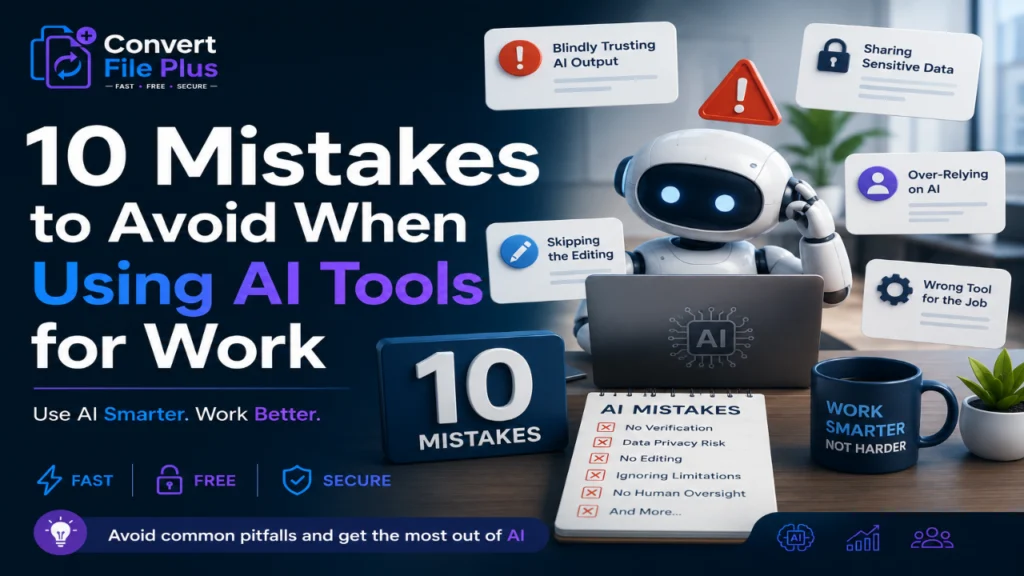
A few months ago, a friend of mine sent her boss an email written almost entirely by ChatGPT. The tone was off, the facts were slightly wrong, and her boss replied with one line: “Did you even read this before sending it?” That’s the moment a lot of people are having right now, just in different forms.
AI tools have become part of daily work life faster than almost any technology before them. According to McKinsey’s 2025 State of AI report, 88 percent of organizations now use AI in at least one business function, up from 78 percent just a year earlier. Yet only about a third of those companies have actually managed to scale AI use across the enterprise in a meaningful way.
That gap between using AI and using it well is where most of the trouble starts. This article walks through 10 mistakes to avoid when using AI tools for work, based on patterns that show up again and again across teams, industries, and job titles. None of these are exotic technical errors. They’re the small, human habits that quietly undo the benefits AI is supposed to bring.
If you’ve ever pasted a client’s data into a chatbot without thinking twice, or accepted an AI-written report without checking a single fact, you’ll probably recognize a few of these. Let’s get into them.
According to McKinsey & Company – The State of AI in 2025
1. Blindly Trusting AI Output Without Verification
This is probably the single biggest item on any list of mistakes to avoid when using AI tools for work. AI models are confident even when they’re wrong. They don’t pause and say “I’m not sure about this.” They just answer, smoothly and convincingly, whether the answer is right or not.
I’ve noticed that the people who get burned the worst are usually the ones who are otherwise very careful. They trust the tool because it sounds so polished. That’s exactly the problem.
- Always cross-check facts, figures, and quotes before sharing AI-generated content externally.
- Treat AI output as a first draft, not a finished product.
- For anything client-facing or legal, have a human review every claim.
2. Feeding Confidential Information Into Public AI Tools
This one keeps compliance teams up at night. Pasting customer records, contract terms, or internal financials into a public chatbot can mean that data leaves your company’s control the moment you hit enter.
Most enterprise AI platforms now offer private or business-tier versions specifically because of this risk. If your company hasn’t set clear rules yet, that’s a conversation worth having before someone accidentally shares something they shouldn’t.
- Check whether your company has an approved list of AI tools.
- Never input client data, passwords, or proprietary code into free, public AI tools.
- Use enterprise or private deployments for anything sensitive.
3. Skipping the Editing Process
AI-written content has a certain rhythm to it. Once you’ve read enough of it, you start spotting it everywhere: the same transitional phrases, the same overly tidy structure, the same slightly hollow tone. Readers notice too, even if they can’t always explain why.
Honestly, that’s understandable. The whole appeal of AI tools is speed, so skipping the edit feels like skipping an unnecessary step. But unedited AI text often reads as generic, and generic content rarely performs well, whether it’s a blog post, a proposal, or an internal memo.
4. Using AI Tools for Work Without Understanding Their Limits
Every AI tool has a knowledge cutoff, a bias built into its training data, and blind spots in certain subjects. Treating any single tool as an all-knowing oracle is one of the more avoidable mistakes to avoid when using AI tools for work, yet it happens constantly.
A model that’s excellent at drafting emails might be mediocre at financial analysis. A tool great at summarizing documents might struggle badly with nuanced legal language. Knowing what a tool is actually good at saves a lot of wasted effort.
Designer Notes: Layout: horizontal funnel chart, 3 stages. Icons: building icon for ‘organizations using AI’, gear icon for ‘scaling AI’, dollar/coin icon for ‘EBIT impact’. Colors: navy blue and light gray, one accent orange for emphasis. Labels and data: Stage 1 ‘Use AI in at least one function – 88%’, Stage 2 ‘Have scaled AI enterprise-wide – about 33%’, Stage 3 ‘Report measurable EBIT impact from AI – 39%, mostly under 5%’. Source footnote: McKinsey, State of AI in 2025.
5. Over-Relying on AI for Decision-Making
AI is good at pattern recognition. It is not good at judgment calls that involve context only a human would know, like a client’s history with your company, a teammate’s personal situation, or an unwritten office politics issue.
That’s where things get interesting, because AI tools are increasingly being plugged into decisions that used to require a manager’s sign-off. Letting a model make the final call on hiring, performance reviews, or budget cuts without human oversight is risky, and in some regulated industries, it can also be a compliance problem.
6. Ignoring Data Privacy and Security Settings
Most people install an AI tool, click through the setup screens, and never look at the privacy settings again. That’s a mistake, especially since many tools default to using your conversations to train future models unless you turn that setting off.
- Review data retention and training settings the day you set up a new tool.
- Turn off chat history or training use for sensitive work accounts.
- Read the vendor’s data processing terms, not just the marketing page.
7. Not Training Employees Properly
Handing someone access to an AI tool without any guidance is a bit like giving them a company credit card with no spending policy. Most people will use it reasonably, but a few won’t, and the company has no real framework to fall back on.
Most people don’t think about this until something goes wrong. A short internal training session on what’s acceptable, what’s risky, and what the company’s actual AI tools are can prevent a surprising number of headaches later.
8. Using the Wrong Tool for the Job
Not every AI tool does the same thing well. Using a general chatbot to build a complex financial model, or a coding assistant to write marketing copy, often produces mediocre results because the tool simply wasn’t built for that task.
- Match the tool to the task: writing assistants for drafts, analytics tools for data, specialized models for code.
- Test a new tool on low-stakes work before relying on it for anything important.
- Ask colleagues what’s actually working for similar tasks rather than guessing.
9. Forgetting About Bias in AI Outputs
AI models learn from existing data, and existing data carries existing biases. This shows up in hiring tools that quietly favor certain resume formats, image generators that default to particular demographics, or writing assistants that subtly reflect Western, English-language norms over others.
This is one of the quieter mistakes to avoid when using AI tools for work, because it doesn’t announce itself. It just shows up later, in a hiring shortlist that looks oddly uniform or a marketing campaign that misses a key audience entirely.
10. Treating AI as a Replacement Instead of an Assistant
This last one might be the most important. AI tools are good collaborators. They are not good replacements for expertise, relationships, or accountability. A salesperson who lets AI write every client email loses the personal touch that often closes deals. A manager who lets AI draft every performance review loses the nuance that makes feedback land.
The tools work best when they free up time for the human parts of the job, not when they try to take those parts over entirely.
Designer Notes: Layout: vertical checklist, 10 rows with small circular numbered icons (1-10). Icons per row: magnifying glass (verify output), lock (data privacy), pencil (edit before publishing), warning triangle (know tool limits), scale/balance (human decision-making), shield (security settings), graduation cap (training), wrench (right tool for job), people icon (bias awareness), handshake (AI as assistant, not replacement). Colors: navy blue text, light blue row backgrounds alternating with white, one orange highlight color for icons. Footer note: ‘A practical reference for teams adopting AI responsibly.’
Final Thoughts
None of these 10 mistakes to avoid when using AI tools for work require a technical background to fix. Most of them come down to habits: pausing before you trust an output, asking what data you’re sharing, training your team properly, and remembering that a tool is still just a tool.
The companies getting real value from AI right now aren’t necessarily the ones with the fanciest models. They’re the ones who built basic discipline around how AI gets used day to day. That discipline costs very little and saves a lot.
If there’s one thing worth taking away from all this, it’s that AI doesn’t remove the need for judgment at work. If anything, it raises the importance of judgment, because the tool will happily move fast in the wrong direction if nobody is paying attention.
Use it well, question it when needed, and keep a person in the loop. That’s really the whole playbook.

- Why Is My Instagram Picture Blurry Before Posting? - November 2, 2026
- Why Do Images Look Blurry on Instagram After Uploading? How to Fix It - November 1, 2026
- Why Do Images Look Different on Different Screens? - October 31, 2026