
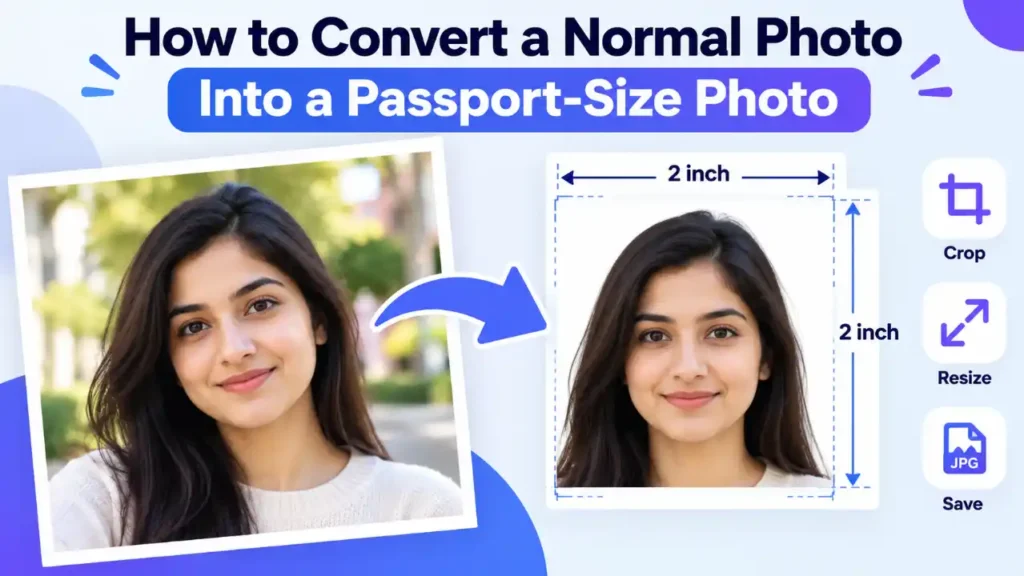
You can turn an ordinary photo into a passport-size photo by cropping it to your country’s required proportions, getting the head size right, and saving it in the accepted format and file size. That only works if the original photo already meets the other rules: a plain light background, even lighting, a straight-on face and a recent date. Cropping cannot fix those problems, and some authorities do not allow any editing beyond a crop.
This guide shows how to check whether your photo can be converted, how to crop and resize it, and when a new photo is the faster option. The examples use the US and UK because both governments publish detailed photo pages. Your country’s rules may differ, so confirm them before you edit anything.
Can an Ordinary Photo Become a Passport Photo?
Sometimes. Think of conversion as framing, not repair. The US State Department asks for an original, unedited photo and says software, phone apps and filters are not allowed. The photo has to be right before you crop it.
A photo is a good candidate if it:
- shows you facing the camera, eyes open, head level
- was taken recently (within 6 months for the US, within a month for the UK)
- has even light on your face and the background, with no shadows
- has a plain white or off-white background for the US, or a plain light-coloured one for the UK, with no texture, lines or objects
- is sharp rather than grainy or blurry
- is an original digital file, not a scan or a picture of a printed photo
- leaves some space around your head and shoulders, so there is room to crop
If it fails on background, lighting or pose, retaking is usually quicker than converting. The State Department suggests hanging a white sheet over a non-white wall and standing several feet in front of it.
Find Out Which Version of the Photo You Need
“Passport size” depends on how you apply. A printed photo, an online upload and a booth photo can each follow different rules.
| Route | Size and file rules | What the authority says about editing |
|---|---|---|
| US, printed (paper or in person) | 2 × 2 in (51 × 51 mm); head 1 to 1⅜ in (25 to 35 mm), chin to top of head | Submit an original, unedited photo; no software, apps or filters |
| US, online renewal | JPG, JPEG, PNG, HEIC or HEIF; 54 KB to 10 MB; bottom of the frame at the edge of your shoulders | Crop or reposition inside the application; no filters or retouching tools |
| UK, online | At least 600 × 750 pixels; 50 KB to 10 MB; taken in the last month | Unaltered by computer software; with your own device, do not crop, because it is done for you |
UK printed photos are 45 mm high by 35 mm wide. Other countries use other sizes, and websites often disagree about the digital specifications for the same country. India is a good example: guides online quote different sizes and pixel counts, so use the official Passport Seva portal rather than a third-party summary. Treat the passport authority’s own page for your application route as the final word. ConvertFilePlus’s guide to official passport photo size and pixel requirements compares more of them.
How to Convert Your Photo: Step by Step
- Pick the best original. Use the highest-quality file you have, not a screenshot or a copy that went through a messaging app. The State Department warns that sending a photo by text message can reduce its quality. Work on a copy and keep the original untouched.
- Write down the exact specification. Note the dimensions, head size, accepted file types, and the minimum and maximum file size for your route.
- Crop to the right proportions. Set the crop shape first: square for 2 × 2 inches, or 7:9 for a 35 × 45 mm photo. Then centre your head and keep it fully visible. For the US print size, a head of 25 to 35 mm in a 51 mm frame fills roughly half to just over two-thirds of the frame height (our arithmetic from the official numbers). If your route says not to crop, skip this step.
- Resize without stretching. Keep the aspect ratio locked. The State Department specifically warns against stretching or compressing a photo to resize it. If you need pixels, remember that a 2-inch print at 300 pixels per inch is 600 pixels. That is an example of how pixels relate to print size, not an official rule. Do not enlarge a small photo, because enlarging adds no real detail.
- Save in an accepted format and size. JPG is the usual choice. iPhone photos often save as HEIC, so if your upload form wants JPG, convert HEIC to JPG first. Both the US and UK upload pages set a minimum file size as well as a maximum, so over-compressing can fail a check. If you need to shrink the file, reduce the file size without making it blurry in small steps.
- Inspect it at 100% zoom. Look for blur, shadows, odd skin tones, halos around the head and any part of your head cut off.
- Print correctly, if you are printing. The State Department asks for matte or glossy photo-quality paper and rejects photocopies and scans. Turn off “fit to page” in the print dialog, because scaling changes the real size of the photo and the head with it.
Once you have framed the crop, the ConvertFilePlus Image Resizer can help you set new pixel dimensions and choose an output format. Preview the result before you download it and check it against the official page, because no tool decides whether a passport office accepts a photo.
What Conversion Cannot Fix
- The background. The State Department shows software-altered backgrounds as unacceptable, and GOV.UK requires a photo unaltered by computer software. Some passport-photo apps advertise automatic white backgrounds. Whether your authority accepts that edit is its decision, and for the US and UK the official pages point the other way.
- Lighting and shadows. Uneven light stays uneven after a crop.
- Blur and low resolution. A soft photo stays soft, and enlarging it adds nothing.
- Pose and expression. A tilted head, closed eyes or an open mouth need a new photo.
- Official acceptance. A tool that calls its output “compliant” is making a claim. The passport authority makes the decision.
A passport photo is also an identity image. Before uploading one anywhere, read the tool’s privacy policy and find out whether files are processed on your device or on a server, and how long they are kept.
When Retaking Is the Better Choice
Retake the photo if the background is not plain, the light is uneven, your face is tilted, or the image is small and soft. A phone photo taken by a friend, standing a few feet in front of a plain wall or white sheet in daylight, usually beats an hour of editing. The UK page also notes that photos from a booth or shop are more likely to be approved than ones taken on your own device. If you are renewing a US passport online, the application’s own photo tool checks basic requirements and lets you retry.
Common Mistakes and How to Fix Them
- Stretching the photo to fit. Lock the aspect ratio and crop instead.
- A head that is too small or too large. Recrop closer or wider. If the source photo is too distant to crop well, retake it.
- Cropping when cropping is not allowed. Check your route first. The UK asks you not to crop a photo taken on your own device.
- A file outside the size range. Check both the minimum and the maximum.
- An old photo. The US wants one taken in the last 6 months and the UK in the last month.
- Saving repeatedly. Each lossy save can discard detail, so export once from the original.
Frequently Asked Questions

- How to Increase the Resolution of an Image in 5 Steps - October 24, 2026
- 8 Best AI Background Removers in 2026 (Free & Paid, Compared) - October 23, 2026
- How to Convert HEIC to JPG on Windows (Step-by-Step Guide) - October 21, 2026